

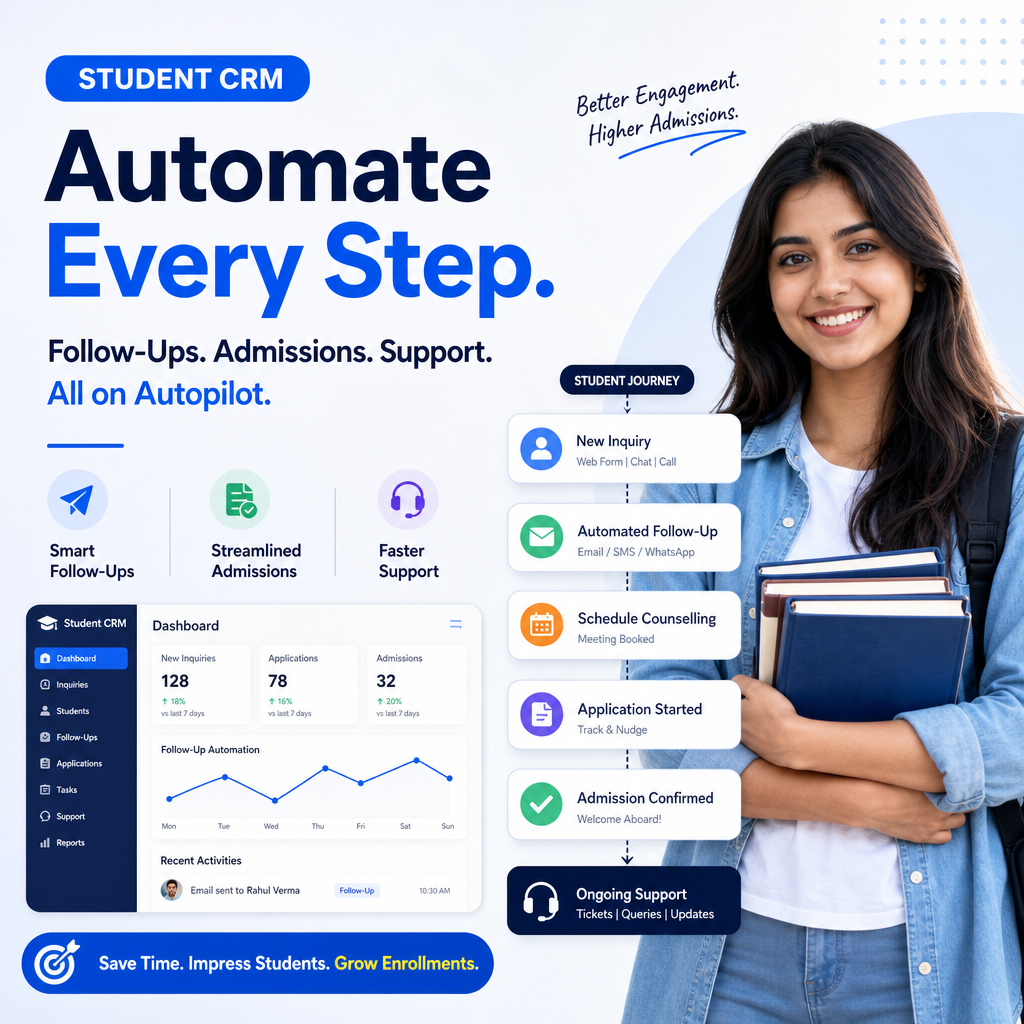
Student CRM That Automates Follow-Ups, Admissions, and Support
The CRM That Automates Student Follow-Ups, Admissions & Support
Managing student inquiries, applications, and ongoing support can quickly become overwhelming for schools, colleges, and training providers. When every lead matters, delayed responses and missed follow-ups can cost enrollments and damage trust.
That is where the CRM that automates student follow-ups, admissions & support makes a real difference. Instead of juggling spreadsheets, email inboxes, and manual reminders, your team gets one system that keeps communication organized, timely, and consistent.
Why education teams need automation
Students expect fast responses. Whether they are asking about courses, tuition, deadlines, or enrollment steps, they want answers without waiting days.
At the same time, admissions teams are often handling:
- New inquiries from multiple channels
- Application tracking
- Document collection
- Interview scheduling
- Fee reminders
- Ongoing support requests
Without automation, important tasks can slip through the cracks. A CRM designed for education helps every lead and student move through the right process at the right time.
What this CRM actually automates
A strong education CRM does more than store contact details. It helps you build workflows that reduce manual work and improve student experience.
1. Student follow-ups
When someone submits an inquiry form, the CRM can instantly:
- Send a welcome email
- Assign the lead to an admissions counselor
- Schedule follow-up reminders
- Trigger nurturing messages based on interest level
This keeps your team responsive and ensures prospective students never feel ignored.
2. Admissions management
Admissions often involve many small steps that require coordination. A CRM can automate:
- Application status updates
- Document requests
- Interview or counseling session reminders
- Deadline alerts
- Offer and acceptance notifications
Instead of chasing each applicant manually, your team can focus on helping students make informed decisions.
3. Student support
Support doesn’t end after enrollment. Students still need help with class schedules, payment questions, platform access, and other concerns.
With automation, the CRM can:
- Route support tickets to the right department
- Send confirmation messages when requests are received
- Track resolution times
- Follow up after issues are closed
- Escalate urgent cases automatically
This creates a smoother experience and reduces frustration for students and staff alike.
Key benefits for schools and training providers
A CRM built for student journeys can improve both efficiency and outcomes. Here are some of the biggest advantages.
Faster response times
Automated responses help your team reply immediately, even outside office hours. That first message can be the difference between a warm lead and a lost opportunity.
Better lead conversion
Prospective students often need several touchpoints before enrolling. Automated follow-ups keep your institution top of mind and help guide prospects through each stage of the decision process.
More organized admissions
When every application, document, and status update is tracked in one place, admissions teams can stay on top of deadlines and reduce errors.
Improved student experience
Students appreciate clear communication. A CRM ensures they receive timely updates, reminders, and support without having to ask repeatedly.
Less manual work
Automation removes repetitive tasks from your team’s day. That means more time for meaningful conversations and strategic work.
Features to look for in an education CRM
Not every CRM is built for the needs of schools and training organizations. If you want real results, look for features that support the full student journey.
Must-have capabilities
- Lead capture from web forms and landing pages
- Email and SMS automation
- Workflow builders for admissions and support
- Task assignment and reminders
- Pipeline tracking for applicants
- Document management
- Ticketing or case tracking
- Reporting and analytics
Helpful integrations
Your CRM should also connect with the tools you already use, such as:
- Website forms
- Email platforms
- Student information systems
- Payment systems
- Calendar tools
- Help desk software
The easier it is to connect systems, the easier it becomes to keep every student interaction in sync.
How automation improves enrollment journeys
The student journey usually starts long before enrollment. A lead may first download a brochure, attend a webinar, or ask a question on social media. A CRM can track those touchpoints and respond accordingly.
For example:
- A student fills out an inquiry form.
- The CRM sends a thank-you email immediately.
- An admissions advisor is assigned automatically.
- If the student does not respond, a reminder is sent after two days.
- Once the application begins, the CRM updates the pipeline stage.
- After enrollment, support workflows are triggered to help with onboarding.
This kind of system creates consistency and reduces the chance of missed opportunities.
Final thoughts
The right CRM can transform how your institution handles communication, admissions, and support. By automating repetitive tasks, you give your team more time to build relationships and guide students with confidence.
The CRM that automates student follow-ups, admissions & support is not just a productivity tool. It is a way to create faster responses, smoother processes, and a better overall experience for every student who interacts with your organization.
For schools and training providers looking to grow without losing personal touch, that kind of automation is no longer optional. It is essential.